Case study: case file for vehicle appraisers

Every claim in one file

Each number plate had its own folder with form, photos, power of attorney and correspondence. Now the case runs from the vehicle to the reply from the law firm in one system.

Request a call

First call: 30 minutes, free of charge

What stood in the way.

Client
Vehicle appraisal office
In the system
  • Tablet intake
  • Signature on original template
  • Customer link in 12 languages
  • Accident sketch on aerial image
  • Deadlines with follow-up
  • Roles and permissions
  • The intake form was filled in by hand at the vehicle and typed up in the office.
  • Owner, vehicle and accident were then entered a second time into the data sheet of the appraisal software.
  • Photos, powers of attorney and correspondence sat in one folder per number plate. The scans were not searchable.
  • Whether a law firm had replied to the documents was recorded nowhere. Follow-ups came from memory.

What we built.

One case, one record

Parties, vehicle, accident, photos and documents hang off a single job. Client, owner, driver and injured party stay separate, because in the matter they are.
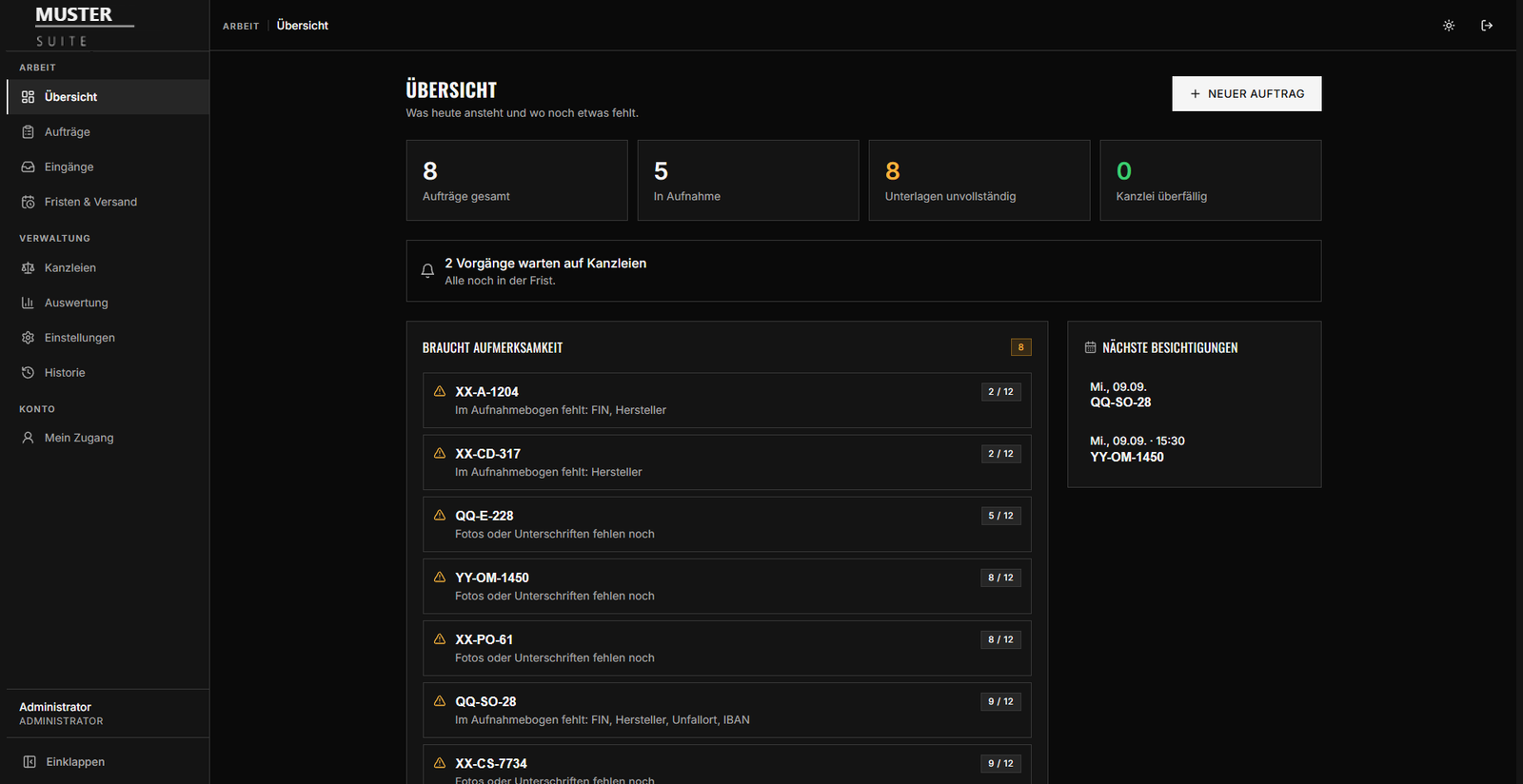

The overview names what is still missing on each case: VIN, make, photos, signatures.

Intake at the vehicle, signature on the original template

The form is filled in on site on a tablet, on request by the customer via a time-limited link in twelve languages. The power of attorney is signed on the template of the respective law firm, not on a replica; the fee agreement on the office’s own.
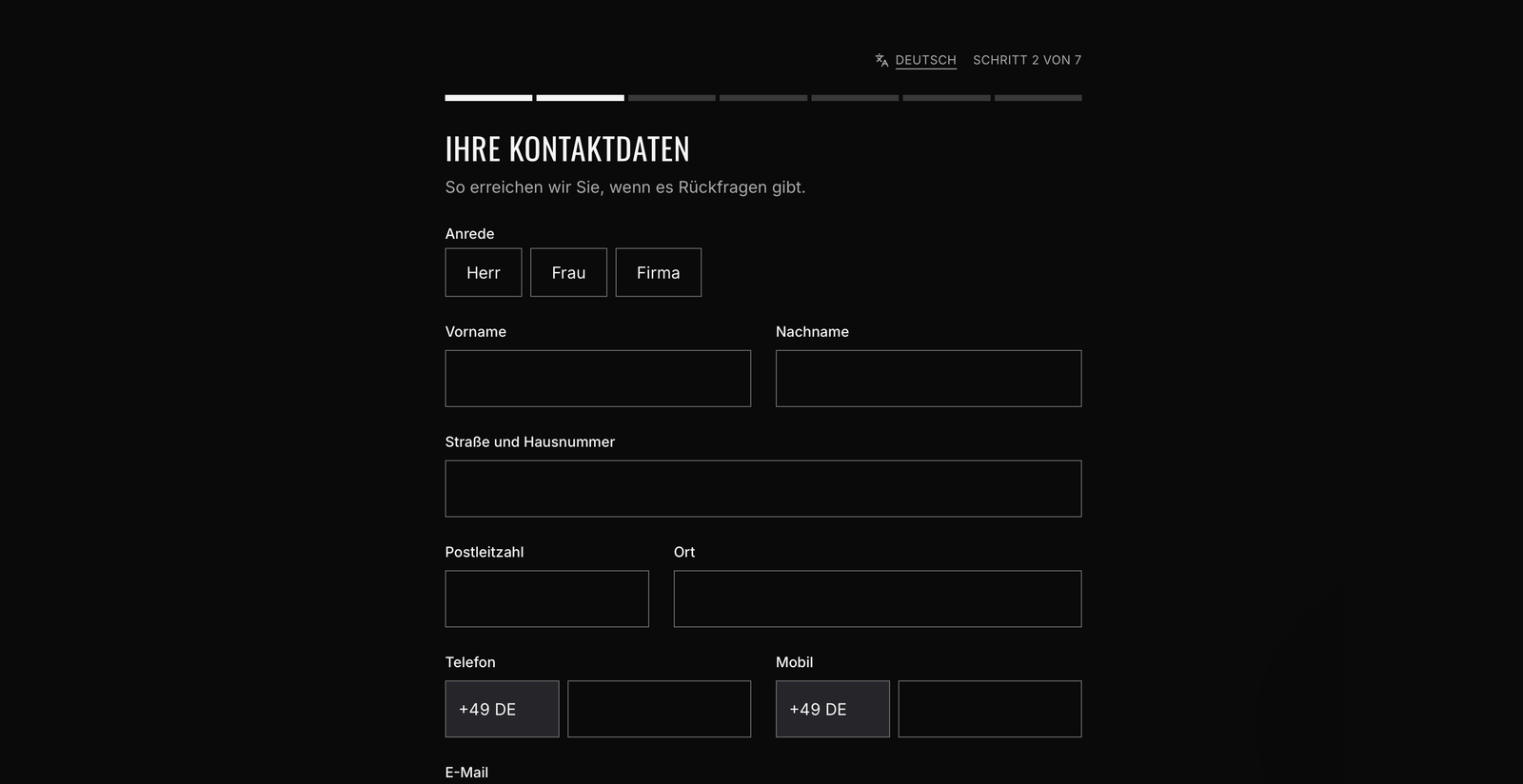
The customer fills it in themselves, on the device in the office or through a link from home. Seven steps, language switchable.
Documents grow out of the file
File extract and the intake form of the appraisal software are filled from the same fields; impact area and accident sketch on an official aerial image are drawn in the same file. What is in it is never typed in twice.

The system knows what it is waiting for

A service watches outgoing and incoming mail, assigns replies to the job and, if you want, follows up once the deadline has passed. Overdue cases sit there as a work queue.

What is still open is listed with the time left. Following up or marking it as answered takes one click.

What changed.

  • Intake is captured once and carries through to the data sheet.
  • Jobs, parties and notes are searchable instead of filed away.
  • Deadlines run visibly. Following up no longer depends on memory.
  • Who changed what is in the log. It cannot be altered afterwards.

Step 1 of 2

What is it about?

Pick what applies. More than one is fine.

Hosting in Germany or the EU, GDPR compliant